In today’s fast-paced digital world, having a reliable data plan is crucial for staying connected. Whether for browsing, streaming, or communicating, MTN offers a variety of data packages to suit your needs. This guide outlines the different methods to purchase data on MTN, ensuring you’re always equipped to enjoy seamless connectivity.
Why You Should Buy Data on MTN
Purchasing data on MTN provides several benefits:
- Flexibility: Choose from a range of data packages that fit your usage.
- Immediate Access: Buy data whenever you need it, suitable for unexpected usage.
- Special Offers: MTN frequently has promotions and bundles, offering value for money.
Methods to Buy Data on MTN
1. Using the MTN App
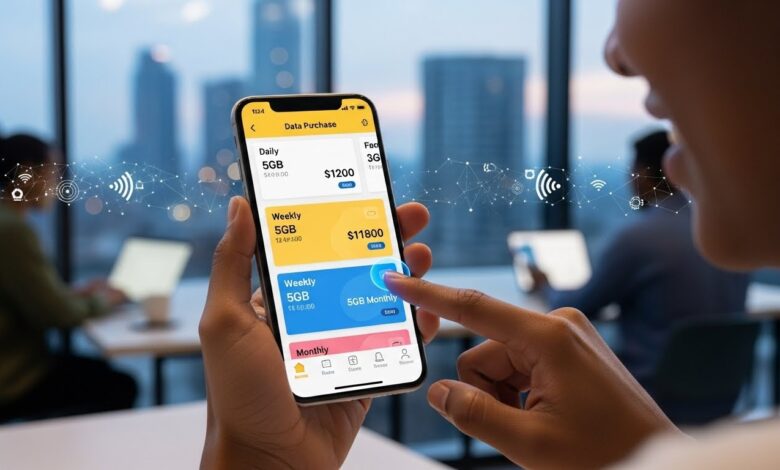
The MTN app offers a user-friendly way to purchase data. Here’s how to do it:
- Download and Install: If you haven’t done so, download the MTN app from your app store.
- Log into Your Account: Open the app and sign in with your MTN number and password.
- Navigate to Data Purchase: Once logged in, look for the “Buy Data” option. This is typically found on the main dashboard or in the menu.
- Choose Your Package: Select the data package that suits your needs from the available options.
- Complete the Purchase: Follow the prompts to confirm your purchase. You will receive a confirmation SMS once the transaction is successful.
2. Using USSD Codes
If you prefer a quick and straightforward approach, USSD codes are a great option. Follow these steps:
- Dial the USSD Code: Enter
*131#or*123#on your phone and hit the call button. - Follow the Options: Choose the option for buying data from the menu that appears.
- Select Your Package: Review the available data packages and select the one that fits your needs.
- Confirm Payment: After selecting, follow the prompts to confirm your purchase. You will get a confirmation message shortly after.
3. Buying Data via SMS
For those who enjoy the simplicity of texting, you can purchase data through SMS:
- Compose a Text Message: Send a text in the format specified by MTN (usually including the package name and your MTN number) to the designated short code.
- Receive Confirmation: Upon completion of your request, you will receive an SMS confirming your data purchase.
Important Points to Consider
1. Choosing the Right Package
Take the time to evaluate your data needs before purchasing. MTN offers various packages, including daily, weekly, and monthly options. Choose one that aligns with your usage patterns.
2. Promotions and Discounts
Keep an eye out for special promotions and bundles. MTN often runs campaigns that offer additional data for the same price, allowing you to get more value for your money.
3. Payment Methods
Ensure you have sufficient balance in your mobile wallet or linked bank account before attempting to purchase data. Familiarize yourself with MTN’s payment options to avoid glitches during the transaction.
Conclusion
Buying data on MTN is a straightforward process that can be accomplished in various ways, whether through the MTN app, USSD codes, or SMS. With flexible package options available, you can find a solution that meets your needs. Keep track of promotions and choose wisely to make the most of your data purchasing experience.