In today’s fast-paced world, running out of data can be inconvenient. Airtel offers a reliable solution through its data borrowing feature, allowing users to access additional data in times of need. This guide will walk you through the steps to borrow data on Airtel, ensuring you stay connected when it matters most.
Why Borrow Data on Airtel?
Borrowing data can be incredibly beneficial in various scenarios:
- Immediate Connectivity: Quickly access the internet without needing to purchase a new data bundle.
- Emergency Situations: Useful for urgent communications or last-minute online tasks.
- Flexibility: Provides you with the ability to get online without the immediate need for funds.
Eligibility for Borrowing Data
Before you proceed to borrow data, ensure you meet these eligibility criteria:
- Active Airtel Account: You must have an active Airtel number in good standing.
- Sufficient Payment History: Usually, you need a solid payment track record with Airtel to qualify for borrowing services.
- Enrolled in the Service: You may need to opt into Airtel’s data borrowing service.
Methods to Borrow Data on Airtel
1. Using the Airtel App
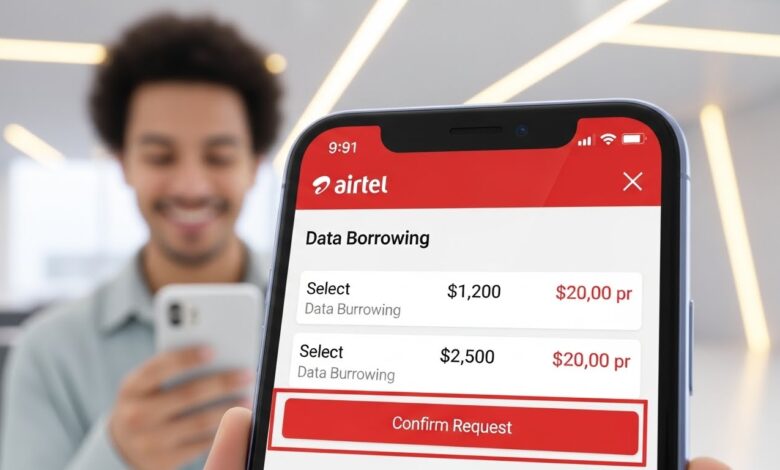
Borrowing data through the Airtel app is straightforward. Follow these steps:
- Download the Airtel App: If you haven’t already, download the app from your mobile app store.
- Log In to Your Account: Open the app and sign in using your Airtel number and password.
- Navigate to Data Borrowing: Look for the “Borrow Data” option on the home screen.
- Select Data Amount: Choose how much data you would like to borrow.
- Confirm the Transaction: Follow the on-screen prompts to complete the borrowing process. You will receive a confirmation message once the transaction is successful.
2. Using USSD Codes
For a quick option without using the app, USSD codes can be employed. Here’s how:
- Dial the USSD Code: Enter
*141#or the specific code for data borrowing based on your region. - Choose Data Borrowing: Follow the menu prompts to select the borrowing feature.
- Select Desired Amount: Choose how much data you wish to borrow.
- Complete the Process: Confirm your selection and wait for an SMS confirming the transaction.
3. Through SMS
You can also borrow data via SMS. Here’s how to do it:
- Compose Your Message: Write a text in the format specified for borrowing data (check the Airtel website for the exact format).
- Send to the Designated Number: Typically, you would send this message to a short code provided by Airtel.
- Wait for Confirmation: You’ll receive a confirmation SMS indicating the success of your borrowing request.
Important Tips for Borrowing Data
1. Understand Borrowing Limits
Each user may have a different borrowing limit based on their account history. Familiarize yourself with these limits to avoid issues.
2. Repayment Conditions
When you borrow data, it usually needs to be repaid, typically through your next recharge. Ensure you’re aware of these terms to manage your account effectively.
3. Security Precautions
Always follow security best practices. Avoid sharing your account details or PIN with anyone to protect your account from unauthorized access.
Conclusion
Borrowing data on Airtel is a practical solution for those urgent times when your data runs out unexpectedly. Whether through the Airtel app, USSD codes, or SMS, the process is simple and quick, keeping you connected in moments of need. This service empowers users to manage their data effectively, ensuring a seamless mobile experience.